Turning my old phone into a dashboard
I recently switched phones and had to watch as my old Samsung Galaxy S10+ collected dust in a drawer. No more! I decided to create an enclosure for it and program a small dashboard, showing the currently playing song.
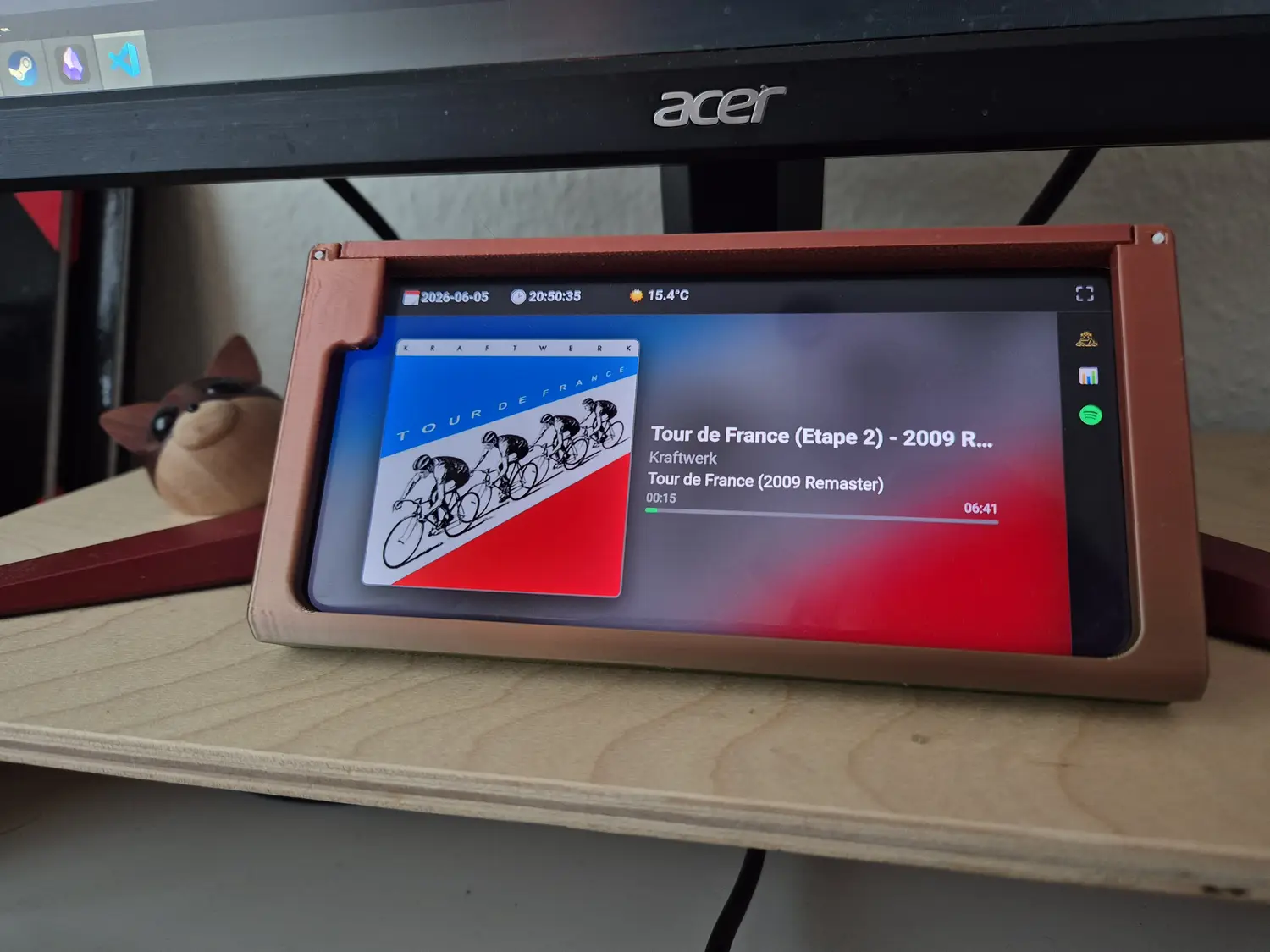
Phone dashboard displaying currently playing song
The entire setup turned out quite sleek. It consists of:
- A 3D-printed enclosure which…
- Holds my phone which runs a kiosk web browser connected to…
- A local self-hosted website developed by me which…
- Queries the Spotify API in the background to deliver me information on the song currently playing
The enclosure
The enclosure had to go through a couple of designs (this was the 3rd one i printed), but it turned out nice. It is printed in a multicolor silk PLA.
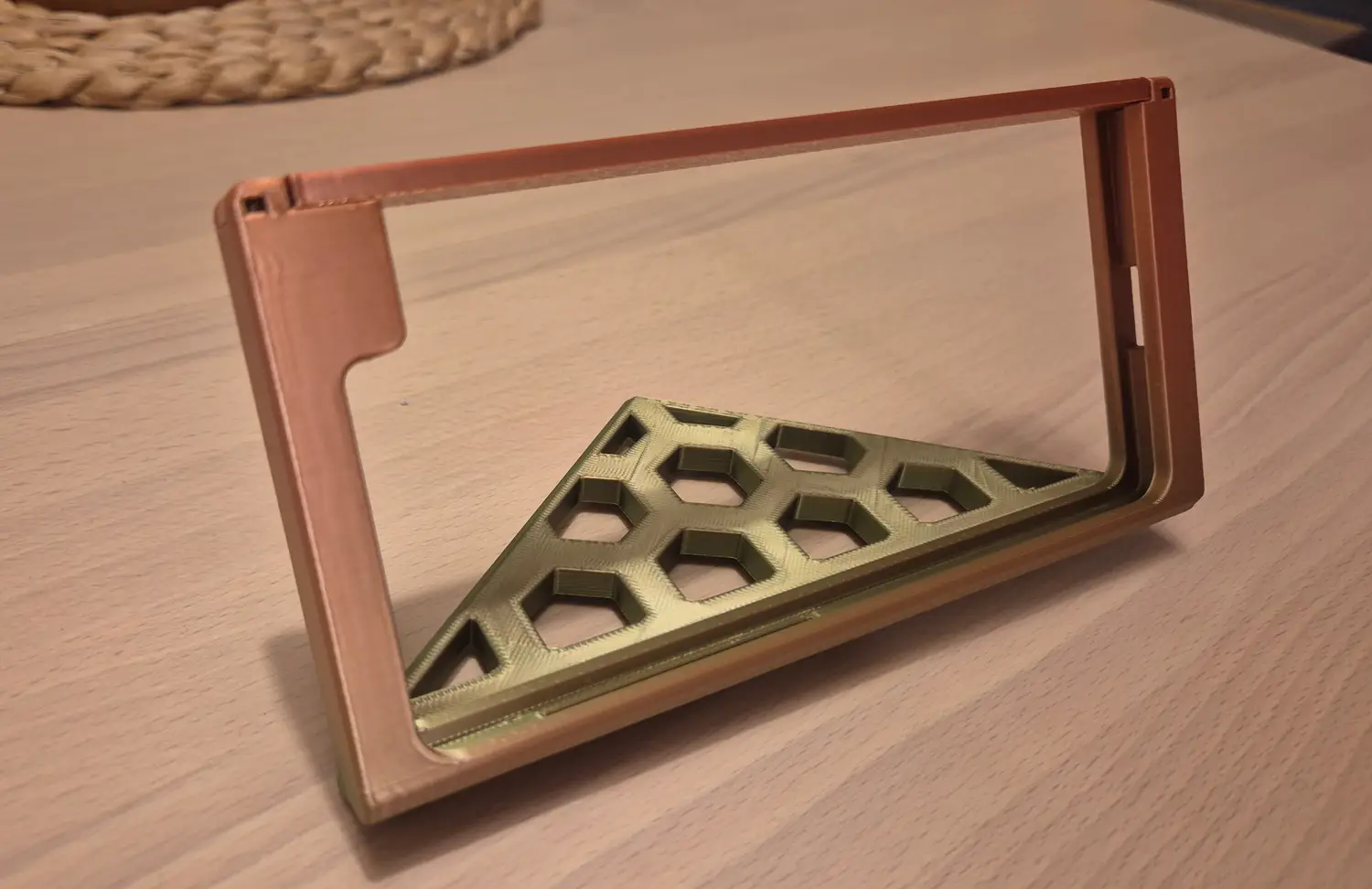
The 3D-printed phone enclosure
Some of the subtle details:
- It is tilted at a nice angle for viewing.
- The top can be removed for phone insertion. It can be fastened with py placing pegs of spare filament into the holes in the corners.
- The top has enough flexibility to press the power button, when it is pressed from the top.
- On the right, is a small slot for USB-C charging.
- A slot in the bottom of the print prevents the volume buttons from being pressed.
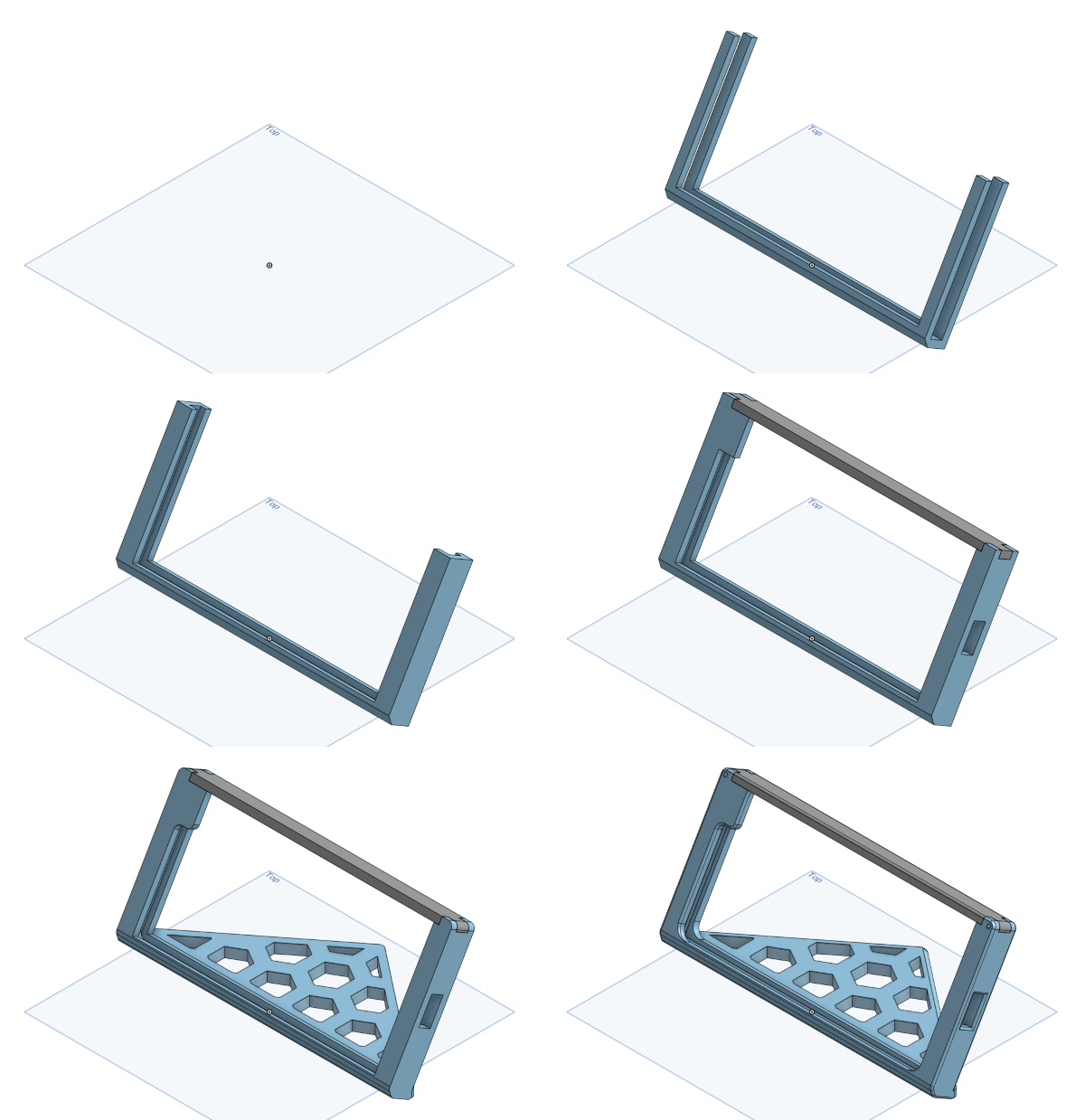
Layer by layer of the phone dashboard being designed.
The software
I decided to go completely caveman-style on this project and utilize (almost) zero frameworks. The website is self-hosted on my desktop with Browsersync for automatic updates during live-development, but other than that, no frameworks are involved.
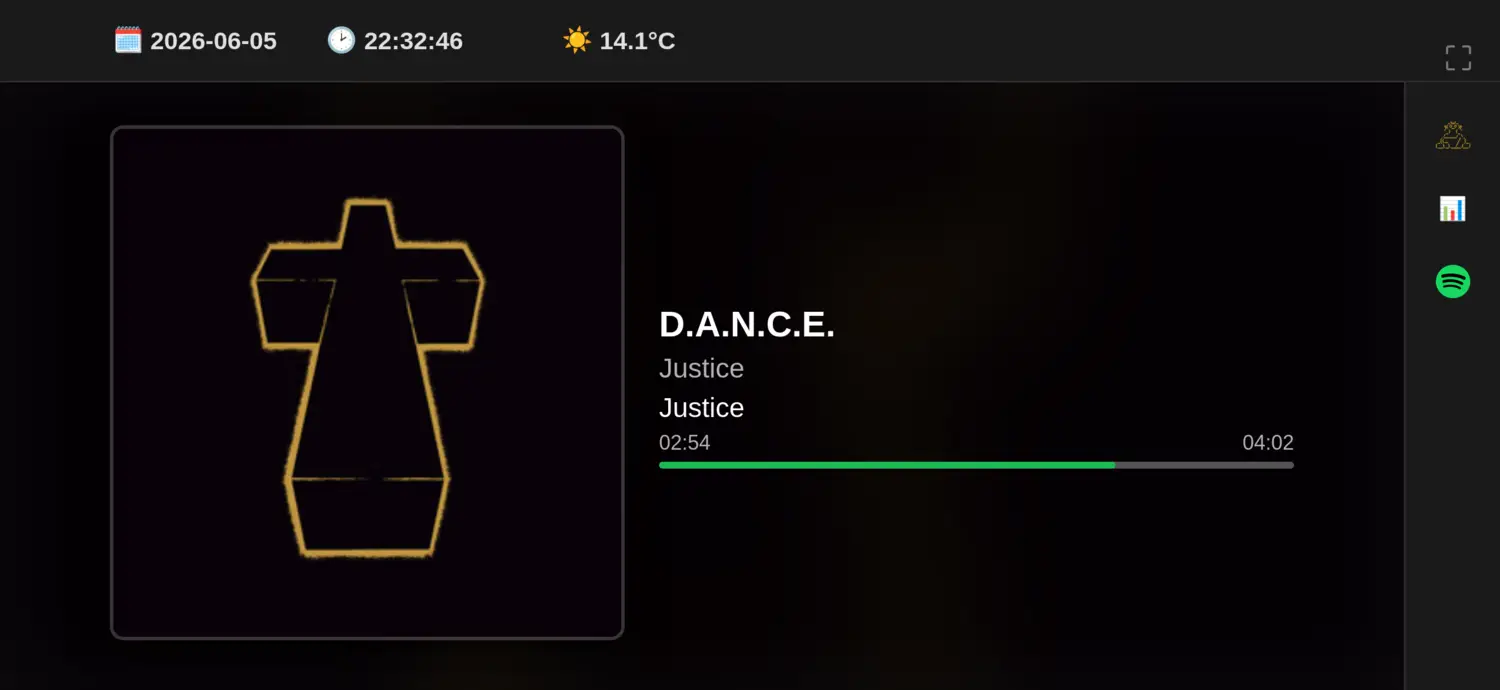
The UI of the phone dashboard
On the top, is a status line, showing date, time, battery percentage (i will fix this) and weather. On the right is a sidebar, where you can select the view currently in effect. A view is basically the rest of the content. In this screenshot, the Spotify view is active. Other views include (for now):
- The monk animation from my homepage
- A system resource monitor (CPU, RAM, disk space)
The views.js script is responsible for switching between views.
For a given view, it loads content.html, style.css and script.js (and unloads the previous loaded ones).
In this sense, the website becomes very modular.
Making a new view is super easy.
But it is still pretty caveman compared to modern web frameworks.
The actual information is communicated through a json file, which is polled by the respective view.
The json file is constructed by a tracker, a Python program which tracks something and writes the results to the json file periodically.
For example, the spotify.py tracker automatically calls the Spotify API every 10 seconds, to poll the currently playing song, and writes title, artist, album, duration, progress and album cover art to the json file.
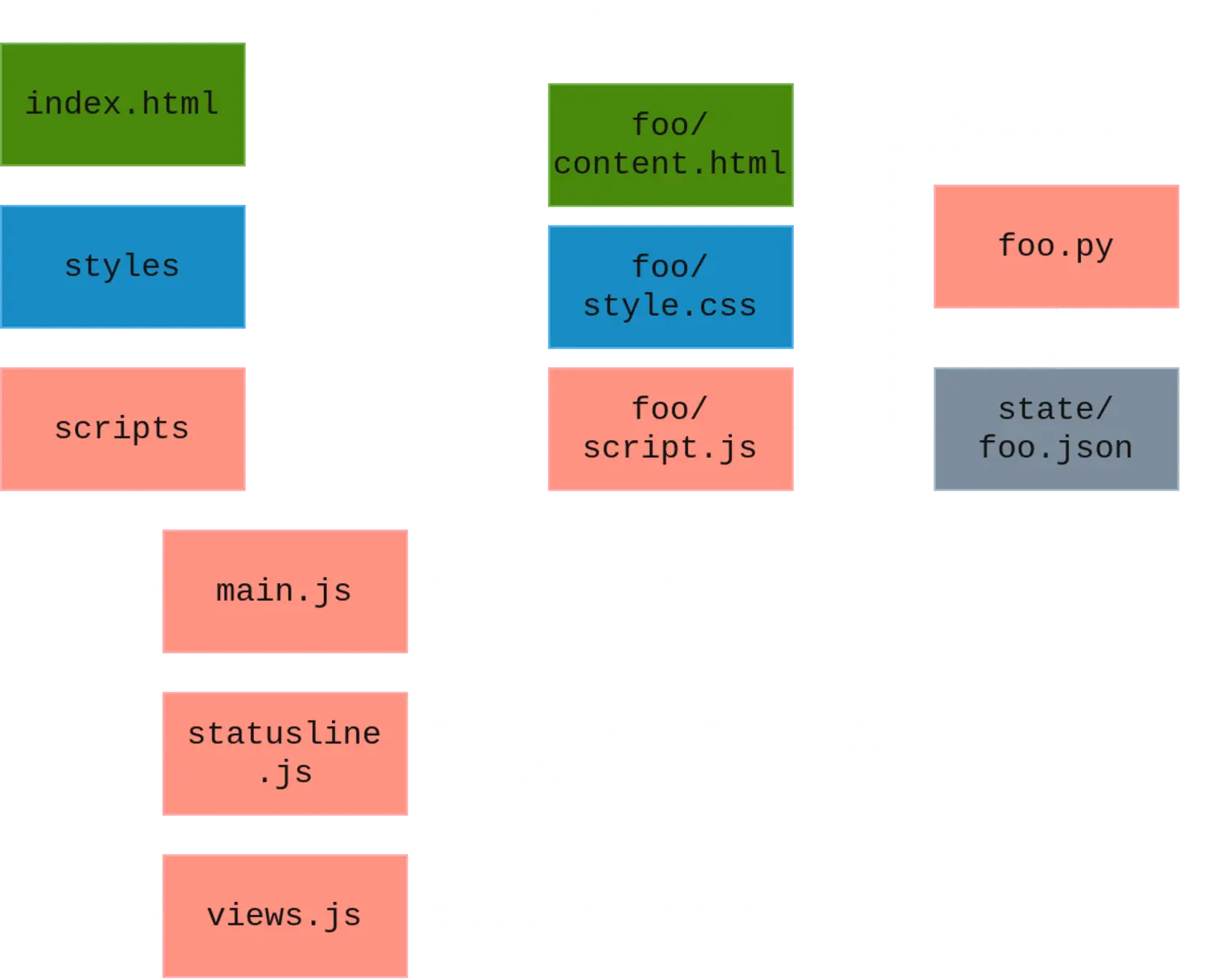
Software architecture of the phone dashboard
The verdict
It works pretty well, especially for Spotify. It reminds me a lot of the “Spotify Car Thing” which has been discontinued
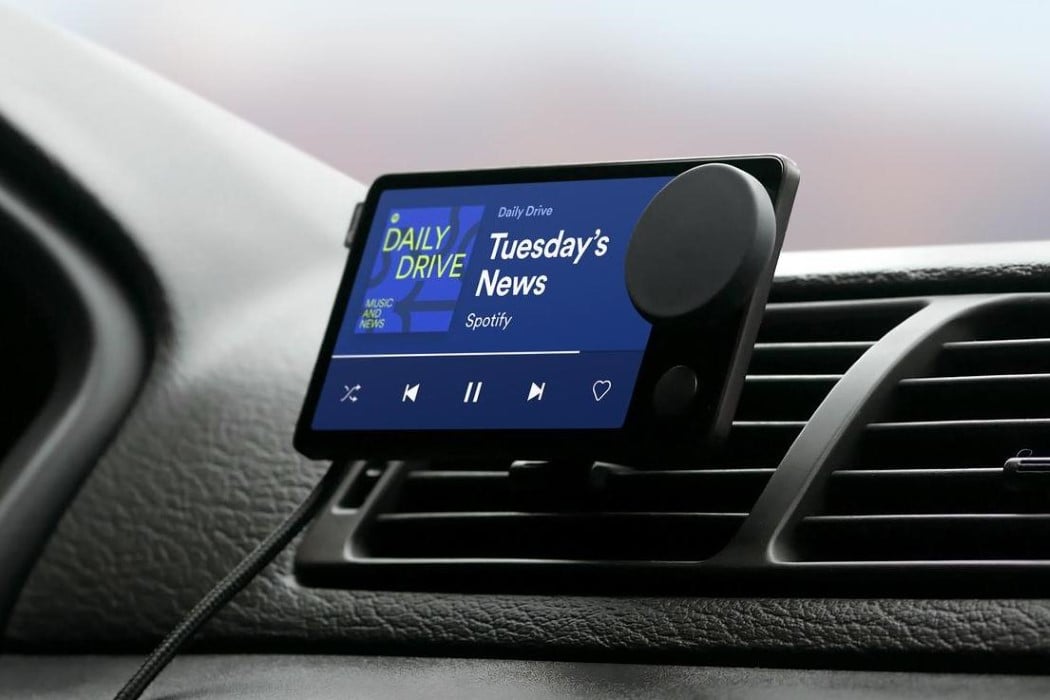
Spotify Car Thing
There are some things I want to improve on in the future:
- Cross communication: The
jsonstate file only works one way, from PC to phone. If I wanted to switch tracks from my phone, I would have no way of communicating this intent with my current framework. This would likely require the switch to a more modern framework like FastAPI + Vue. - More views such as a timer, calendar, etc.
- A way for automatic switching of views. For example, if I had a view showing my current League of Legends match, I would want for that view to pop-up automatically when the match begins.
When this is addressed (if ever), I will be releasing the source code online. Until then, it just gets to look cool on my desk.
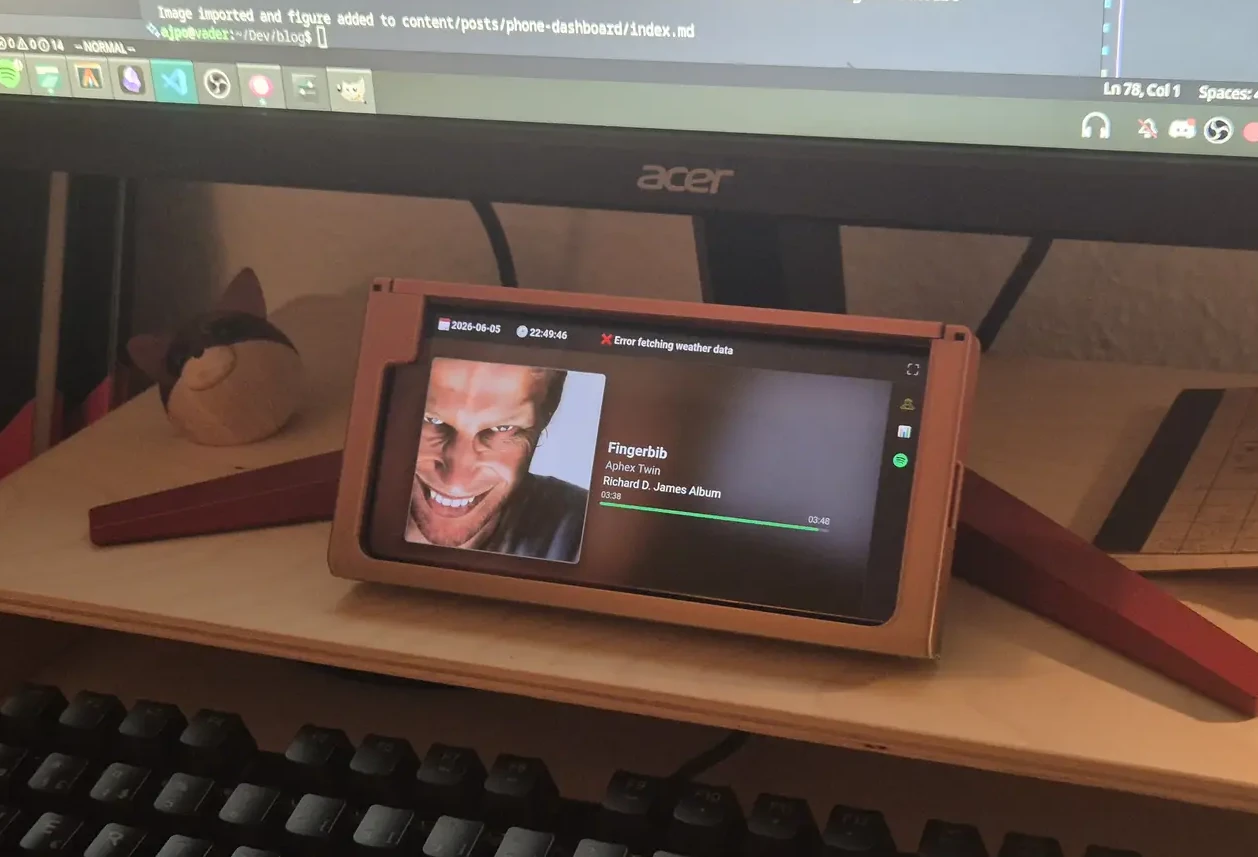
My phone dashboard looking cool
Published 5. June 2026
Last modified 5. June 2026